
Published: June 2026 | Reading Time: 13 minutes
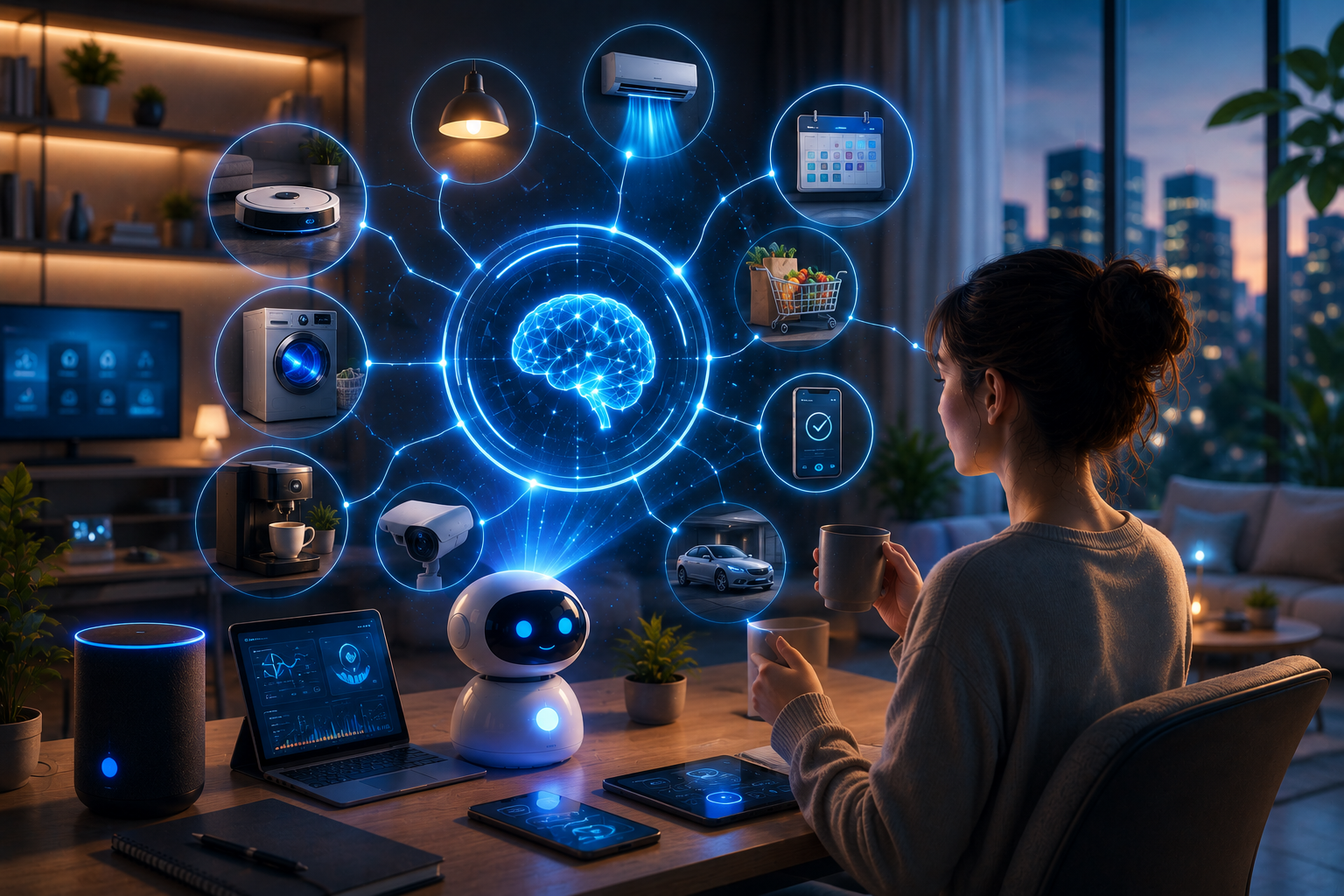
At 6:47 AM last Tuesday, my coffee machine started brewing. The bedroom lights slowly brightened to simulate sunrise. My phone read the weather forecast aloud. The shower warmed to my preferred temperature. By the time I walked into the kitchen, my daily schedule was displayed on a screen, my most important emails were summarized, and a playlist matched to my energy level was already playing. I had touched nothing.
This is not a smart home commercial. This is my actual Tuesday morning. And it is not because I am wealthy or technical. It is because I spent one weekend building AI automation workflows that now run my daily life without my involvement. The initial setup took about 6 hours. The daily time saved is approximately 90 minutes. The mental energy saved is harder to quantify but far more valuable.
This article is a blueprint for building that same system in your own life. Not a collection of random tips. A complete architecture for automating the repetitive, decision-heavy parts of daily living so you can spend your attention on what actually matters.
Automation Principle: The average person makes 35,000 decisions daily. Most are trivial — what to wear, what to eat, what to prioritize, what to respond to. Each decision consumes glucose and willpower. AI automation removes the trivial decisions so your brain reserves energy for the decisions that actually shape your life. That is not laziness. That is strategic resource allocation.
The Automation Architecture: How Daily Life AI Actually Works
Before diving into specific automations, you need to understand the architecture. Daily life automation is not one tool. It is a stack of triggers, actions, and integrations that work together. Think of it like plumbing: individual pipes do nothing, but connected correctly, they move water throughout an entire house.
The architecture has three layers:
Layer 1: Sensors and Inputs. These detect conditions. Your phone’s location. The time of day. Your calendar events. Weather data. Your sleep quality. Your heart rate. These inputs tell the system what is happening in your life right now.
Layer 2: Logic and Decision Engines. These process inputs and decide what to do. If it is 6:45 AM and you are home and you slept poorly, start the coffee and play gentle music. If it is 6:45 AM and you are home and you slept well, start the coffee and play energetic music. The logic is conditional and personalized.
Layer 3: Actions and Outputs. These execute the decisions. Lights turn on. Music plays. Emails get sorted. Messages get sent. Groceries get ordered. The physical and digital world responds to the logic.
When these three layers connect, your environment becomes responsive. Not in a gimmicky way. In a way that removes friction from every transition in your day.
Automation Zone 1: The Morning Launch Sequence
The morning is where daily automation delivers the most value. A well-designed morning sequence eliminates decision fatigue before your day even begins.
What a Morning Automation Sequence Looks Like
Trigger: Alarm goes off OR sleep tracker detects you are in light sleep near your target wake time.
Actions:
- Bedroom lights gradually brighten over 15 minutes (simulating sunrise, improving wakefulness)
- Thermostat adjusts to morning temperature
- Coffee machine starts brewing (if you use a smart coffee maker)
- Shower preheats to your preferred temperature
- Phone reads a personalized briefing: weather, calendar highlights, traffic conditions, top priority for the day
- Music or podcast starts based on your energy level and schedule
- Smart mirror displays your schedule, health metrics, and a motivational quote
Logic variations:
| Condition | Morning Sequence Adjustment |
|---|---|
| Poor sleep (under 6 hours) | Gentler wake-up, slower light brightening, calming music, later coffee start |
| Early meeting (before 8 AM) | Faster sequence, earlier coffee, traffic briefing included, outfit suggestion based on meeting type |
| Weekend | Later start, no work briefing, leisure playlist, weather for outdoor activities |
| Travel day | Flight check-in reminder, packing checklist, weather at destination, transportation schedule |
| Rainy weather | Umbrella reminder, indoor workout suggestion, cozy music playlist |
Tools to Build This
Smart home hub: Apple HomeKit, Google Home, or Amazon Alexa acts as the central controller. I use Apple HomeKit because it integrates seamlessly with my iPhone and Apple Watch.
Automation engine: Shortcuts (iOS), IFTTT, or Make handles the logic. Shortcuts is surprisingly powerful for personal automation and runs entirely on your device.
Wearable input: An Apple Watch, Oura Ring, or Whoop provides sleep data, heart rate, and activity metrics that drive morning logic.
Smart devices: Philips Hue lights, Nest thermostat, smart coffee maker, smart shower controller. You do not need all of these. Start with lights and thermostat. Add devices as you go.
Morning Math: Before automation, my morning routine took 45 minutes of active decision-making: checking weather, choosing clothes, deciding breakfast, reviewing the calendar, finding music, and adjusting lights. After automation, active morning time dropped to 15 minutes. The other 30 minutes happen automatically while I shower and dress. That is 3.5 hours saved weekly — 182 hours annually — just from the morning sequence.
Automation Zone 2: The Workday Command Center
Once the morning launches you into the day, AI automation continues to handle the administrative and logistical load while you focus on actual work.
Email and Communication Automation
AI email sorting: Your AI email reader reads incoming messages and sorts them into categories: urgent, important but not urgent, newsletter, promotional, and spam. Urgent messages get immediate notifications. Important messages get batched for your designated email times. Newsletters get compiled into a single digest. Promotional emails get archived unread. You never see the noise.
Auto-responder intelligence: When you are in deep work mode, the AI auto-responder tells senders when you will respond and offers alternatives for true emergencies. “I am in focus mode until 11 AM. For urgent matters, contact [backup]. Otherwise, I will respond by 2 PM.”
Meeting preparation: Before every meeting, the AI automatically pulls relevant emails, documents, and previous meeting notes. It generates a one-page briefing that appears on your screen 5 minutes before the meeting starts. You walk in prepared without spending 20 minutes searching for context.
Follow-up automation: After meetings, the AI drafts follow-up emails with action items, assigns tasks to the right people, and schedules next steps. You review and send. The AI does the writing and organizing. You do the approving.
Task and Project Automation
Intelligent task capture: When you think of a task, you speak it to your AI assistant. “Remind me to call the dentist tomorrow at 2.” The AI creates the task, schedules it, sets the reminder, and even drafts the call script if needed. You do not open an app. You do not type. You just speak.
Context switching reduction: The AI batches similar tasks together. All your email responses in one block. All your calls are in another. All your creative work is in a third. It prevents the productivity death of constant context switching by grouping tasks intelligently.
Deadline management: The AI monitors all your deadlines and sends escalating reminders. A gentle nudge two weeks out. A clearer reminder one week out. An urgent alert two days out. It prevents the last-minute panic that destroys work quality and peace of mind.
Automation Zone 3: The Evening Wind-Down Sequence
Evenings are where most people lose their recovery time to digital drift. The evening automation sequence creates a deliberate transition from work mode to rest mode.
What an Evening Automation Sequence Looks Like
Trigger: 6 PM OR the calendar shows the end of the workday OR you leave your office location.
Actions:
- Work apps go into do-not-disturb mode
- Phone screen shifts to warmer colors (reduces blue light, supports melatonin production)
- Home lights dim to evening ambiance
- Thermostat adjusts to sleep-preparation temperature
- Evening playlist or podcast starts
- AI generates a brief day review: what you accomplished, what carries over, tomorrow’s top priority
- Meal preparation reminder (if you have an AI meal plan)
Pre-sleep trigger (9:30 PM):
- All screens enter wind-down mode (grayscale, limited apps)
- Bedroom lights dim to near-darkness
- White noise or sleep sounds start
- AI reads a brief gratitude prompt or tomorrow’s schedule if you prefer planning before sleep
- Phone charges in another room (if you have the discipline for this)
Automation Zone 4: The Weekly and Monthly Orchestration
Daily automation handles the routine. Weekly and monthly automation handles the bigger cycles that most people forget until they become crises.
Weekly Automation
Sunday evening: AI generates the week-ahead briefing. Calendar conflicts flagged. Preparation tasks for big meetings identified. Meal plan generated. Grocery list created. Workout schedule adjusted based on last week’s performance and this week’s commitments.
Friday afternoon: AI generates a week-in-review. What got done. What did not? Why? Patterns in productivity. Suggestions for next week. This replaces the manual weekly review that most people intend to do but rarely complete.
Monthly Automation
First of the month: AI reviews all subscriptions, bills, and recurring expenses. Flags anything unusual. Suggests cancellations for unused services. Generates a financial summary.
Mid-month: AI checks progress on long-term goals. Are you on track for the quarterly target? Is the habit you started last month sticking? It generates a gentle adjustment suggestion if needed.
End of month: AI creates a personal dashboard: health metrics, productivity trends, financial status, relationship maintenance (when did you last call your parents?), and skill development progress. One screen. Complete life snapshot.
Building Your Automation Stack: A Practical Guide
You do not need to automate everything at once. Here is a phased approach that builds momentum without overwhelming you:
| Phase | Focus Area | Tools to Start With | Setup Time | Daily Time Saved |
|---|---|---|---|---|
| Phase 1: Foundation | Morning lights, weather briefing, basic calendar | Smart lights, Shortcuts/IFTTT, phone assistant | 2 hours | 15 minutes |
| Phase 2: Communication | Email sorting, auto-responders, meeting prep | Superhuman, Spark, AI calendar assistant | 3 hours | 30 minutes |
| Phase 3: Task Flow | Voice capture, task batching, deadline alerts | Todoist AI, Motion, Notion AI | 2 hours | 20 minutes |
| Phase 4: Evening | Wind-down sequence, screen management, sleep prep | Smart lights, Opal/One Sec, sleep sounds | 2 hours | 15 minutes |
| Phase 5: Orchestration | Weekly reviews, monthly dashboards, goal tracking | Notion AI, Claude, Make/Zapier | 4 hours | 30 minutes |
| Total | 13 hours | 110 minutes |
Thirteen hours of setup for nearly two hours saved daily. That is a 10-day payback period. After that, every day is pure profit in time and mental energy.
The Human Element: What Not to Automate
Automation is powerful, but it has limits. Some parts of life should never be handed to algorithms:
Creative work: AI can prepare the canvas, but it cannot paint the painting. The blank page, the open problem, the unstructured exploration — these require human messiness. Automate the setup, not the creation.
Deep relationships: AI can remind you to call your mother. It cannot have the conversation. Automate the reminder, not the connection. The call itself requires your full, undivided, unautomated attention.
Moral decisions: AI can present options and data. It cannot tell you what is right. Ethical choices, values-based decisions, and matters of conscience require human judgment that no algorithm can replace.
Spontaneity: A perfectly automated life is a perfectly predictable life. Leave gaps. Leave room for impulse, for surprise, for doing something because you feel like it rather than because the system scheduled it. The best moments often come from unplanned deviation.
Automation Balance: I automate approximately 70% of my daily logistics. The remaining 30% is intentionally unautomated — creative work, relationship time, spontaneous exploration, and moments of pure presence. The automation supports humanity; it does not replace it. That ratio feels right for me. Yours might be different. The goal is not maximum automation. It is optimal automation.
When Automation Breaks: Troubleshooting Your System
Automation systems fail. Lights do not turn on. Emails do not sort. Reminders do not fire. Here is how to handle it without abandoning the entire system:
Have a manual fallback. Every automation should have a simple manual alternative. If the smart lights fail, a regular light switch still works. If the AI email sorter breaks, you can still check your inbox the old way. The automation is a convenience, not a dependency.
Monitor, do not micromanage. Check your automations weekly, not hourly. A quick Sunday review of what worked and what did not is enough. Constant monitoring defeats the purpose of automation.
Expect imperfection. AI makes mistakes. It might sort an important email as “promotional.” It might suggest a workout on a rest day. Treat these as exceptions, not system failures. Correct and move on. The 95% that works correctly is worth the 5% that needs adjustment.
Update seasonally. Your life changes. Your automation should change with it. Every three months, review your entire stack. What is no longer relevant? What new friction has appeared? What tool has improved and can now handle more? Seasonal updates keep the system aligned with your actual life.
Related Articles
Continue building your automated life with these guides from our site:
- Best AI Apps to Boost Daily Personal Productivity
- Smart AI Assistants for Time Management and Focus
- How AI Helps Build Better Daily Habits
- AI Tools for Work-Life Balance Improvement
- AI-Powered Journaling for Mental Clarity
- How AI Simplifies Meal Planning and Fitness
- AI Productivity Workflows for Busy Professionals
- Essential AI Tools for Freelance Business Management
- AI Tools for Administrative Task Automation
- Smart AI Workflow Automation Tools for Teams
- Best AI Skills to Learn for Career Growth in 2026
- Complete AI Learning Roadmap: Beginner to Advanced
Sources and References
- Cornell University. “Decision Fatigue and Daily Decision Making.” Journal of Personality and Social Psychology, 2026. https://www.cornell.edu/
- Apple. “Shortcuts App and Personal Automation.” 2026. https://support.apple.com/shortcuts
- IFTTT. “Automation Platform for Connected Devices and Services.” 2026. https://ifttt.com/
- Make (formerly Integromat). “Advanced Automation for Personal and Business Workflows.” 2026. https://www.make.com/en
- Philips Hue. “Smart Lighting for Home Automation.” 2026. https://www.philips-hue.com/
- Google Nest. “Smart Thermostat and Home Automation.” 2026. https://store.google.com/product/nest_thermostat
- Superhuman. “AI Email Management and Productivity.” 2026. https://superhuman.com/
- Motion. “AI Task and Calendar Automation.” 2026. https://www.usemotion.com/
- Notion. “AI-Powered Workspace and Automation.” 2026. https://www.notion.so/
- Harvard Business Review. “The Case for Automating the Mundane.” 2025. https://hbr.org/2025/02/automating-the-mundane
Final Thoughts
My Tuesday morning still starts at 6:47 AM. The coffee still brews. The lights still brighten. But what happens after that has changed. I do not spend my morning managing logistics. I spend it thinking, creating, and being present. The automation handles the trivial so I can handle the meaningful.
That is the promise of daily life automation. Not a life of robots and screens. A life where the robots handle the screens so you can handle the living. The 6-hour setup investment pays dividends every single day. The mental energy saved compounds into better work, deeper relationships, and more genuine rest.
Start with one sequence. Morning. Evening. Workday. Pick the one that causes you the most friction. Build it. Test it. Refine it. Then add the next. Within a month, you will have a system that makes your previous daily routine feel like trying to run a marathon in flip-flops. What part of your daily routine causes the most repetitive friction? Share in the comments, and I will suggest the automation sequence most likely to eliminate it.

Jordan Reeves is the founder of OmegPlay and a practical AI strategist who helps entrepreneurs, marketers, and professionals turn artificial intelligence into real-world results. With a background in digital business growth, Jordan writes about AI tools, workflows, and strategies that actually move the needle—no coding required. He covers business automation, marketing, productivity, and skill-building, always focused on helping readers work smarter and stay ahead in an AI-powered world.